How it works
Casamia is the home maintenance app for people who'd rather live in their house than administrate it. Here's the whole flow — from typing your address to letting the reminders do the remembering.
Step 01
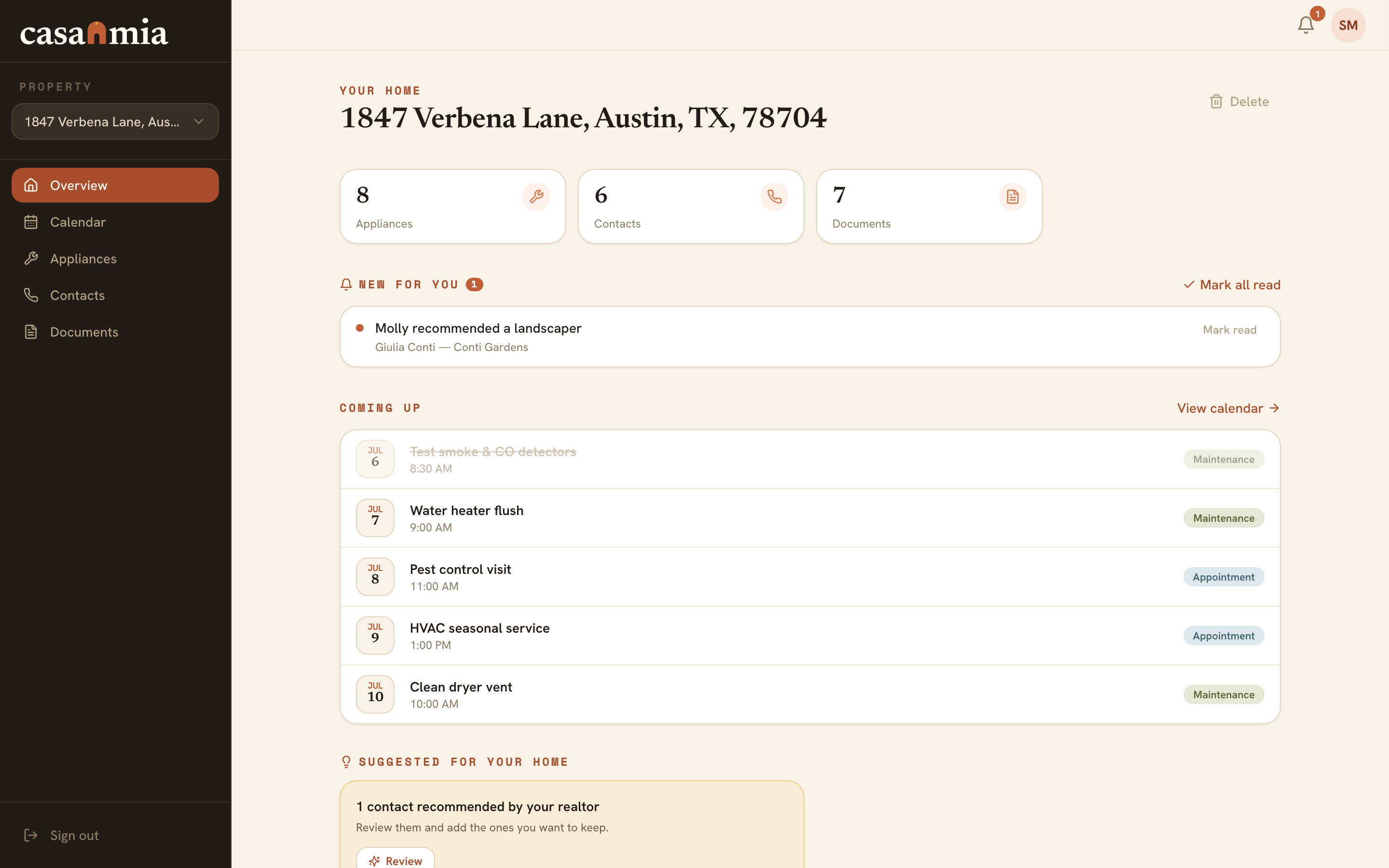
Type your address and the basics fill themselves in — year built, square footage, beds and baths, pulled from public records. Then tap through what's actually in the house: the water heater, the HVAC, the dishwasher that came with it.
Bought recently? Your realtor may have set the whole thing up before closing — appliances, documents, local pros and all. You claim your home and walk into a finished setup.
Setting up · step 1 of 3
1800 Willow St, Austin, TX
FoundWhat's in your home?
Step 02
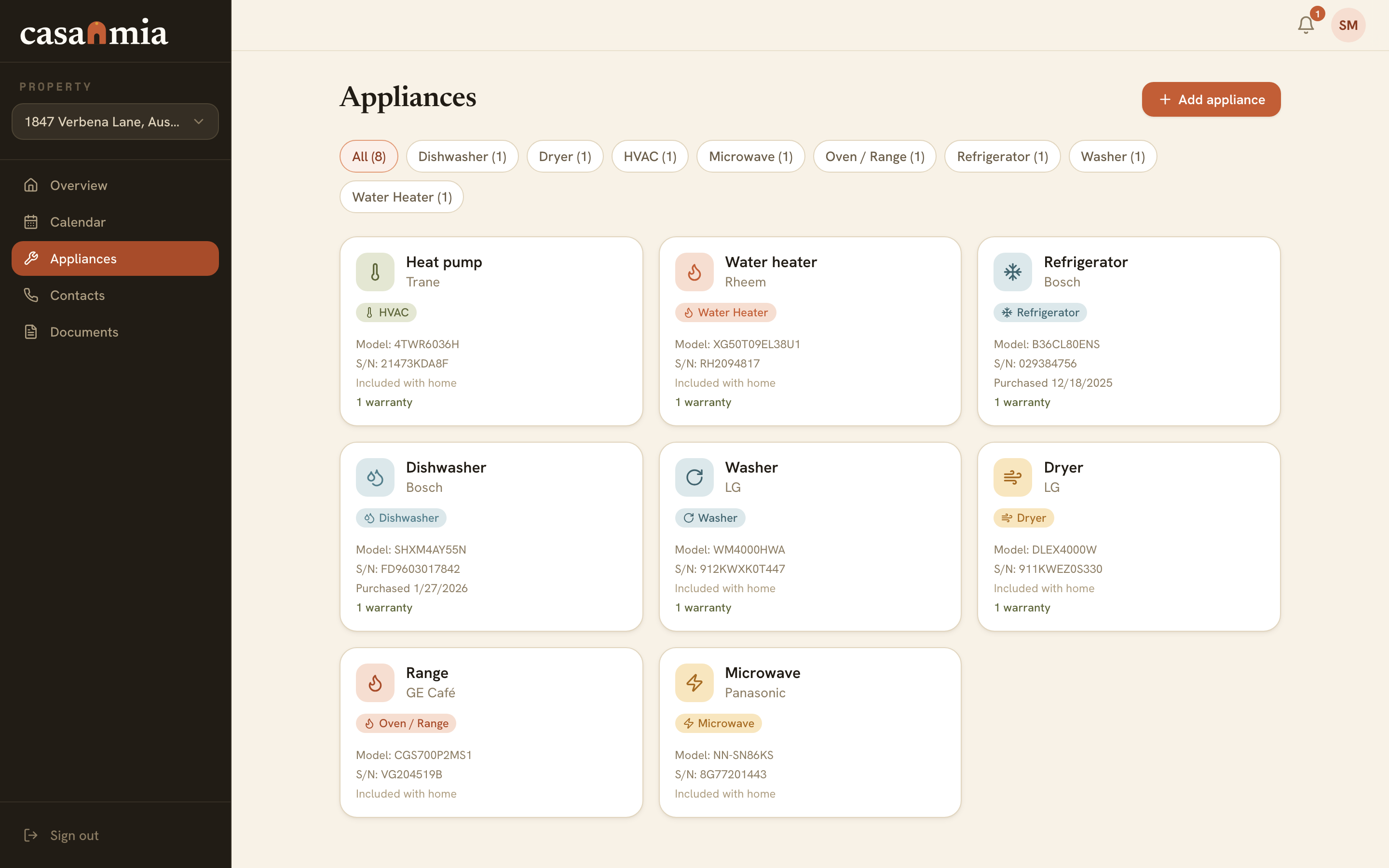
Every appliance gets a record: make, model, serial number, the manual, and the warranty window — so when the dryer starts making that noise, you know exactly what's covered and until when.
The paper goes in too. Closing documents, receipts and inspection reports live in your home's vault — searchable, instead of sedimentary. Even your utility accounts get a page, so the account number is there when you're on hold.
Step 03
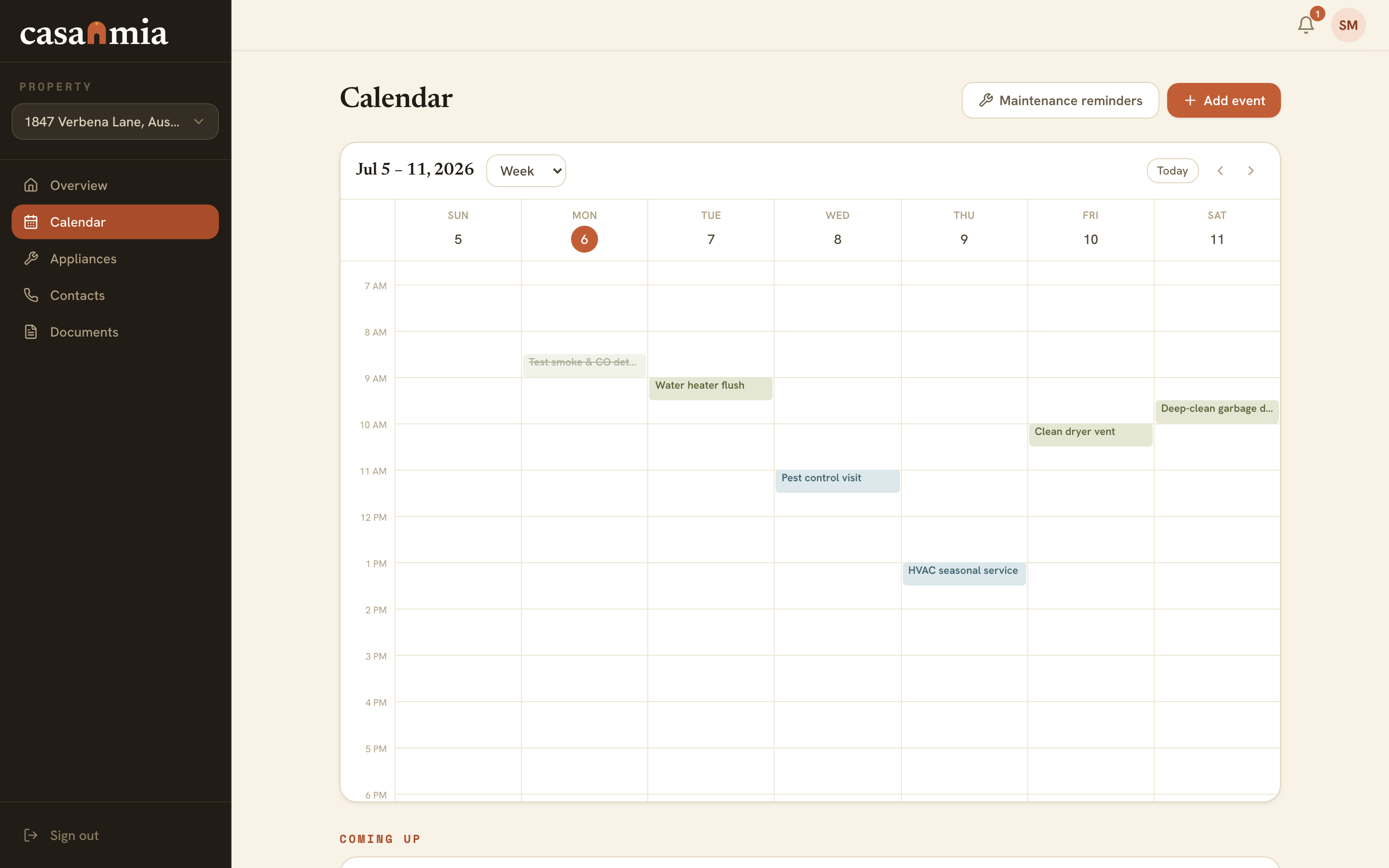
Casamia turns all of that into a schedule: maintenance that's coming due, appointments you've booked, warranties about to close. It lives on your home's calendar — and syncs to the Google or Apple calendar you already check, so there's no second app to remember to open.
Notifications stay gentle by design: a push notification on your phone's lock screen before something's due, not a guilt trip after. Most home disasters send a save-the-date first — this is where you actually receive it.
Step 04
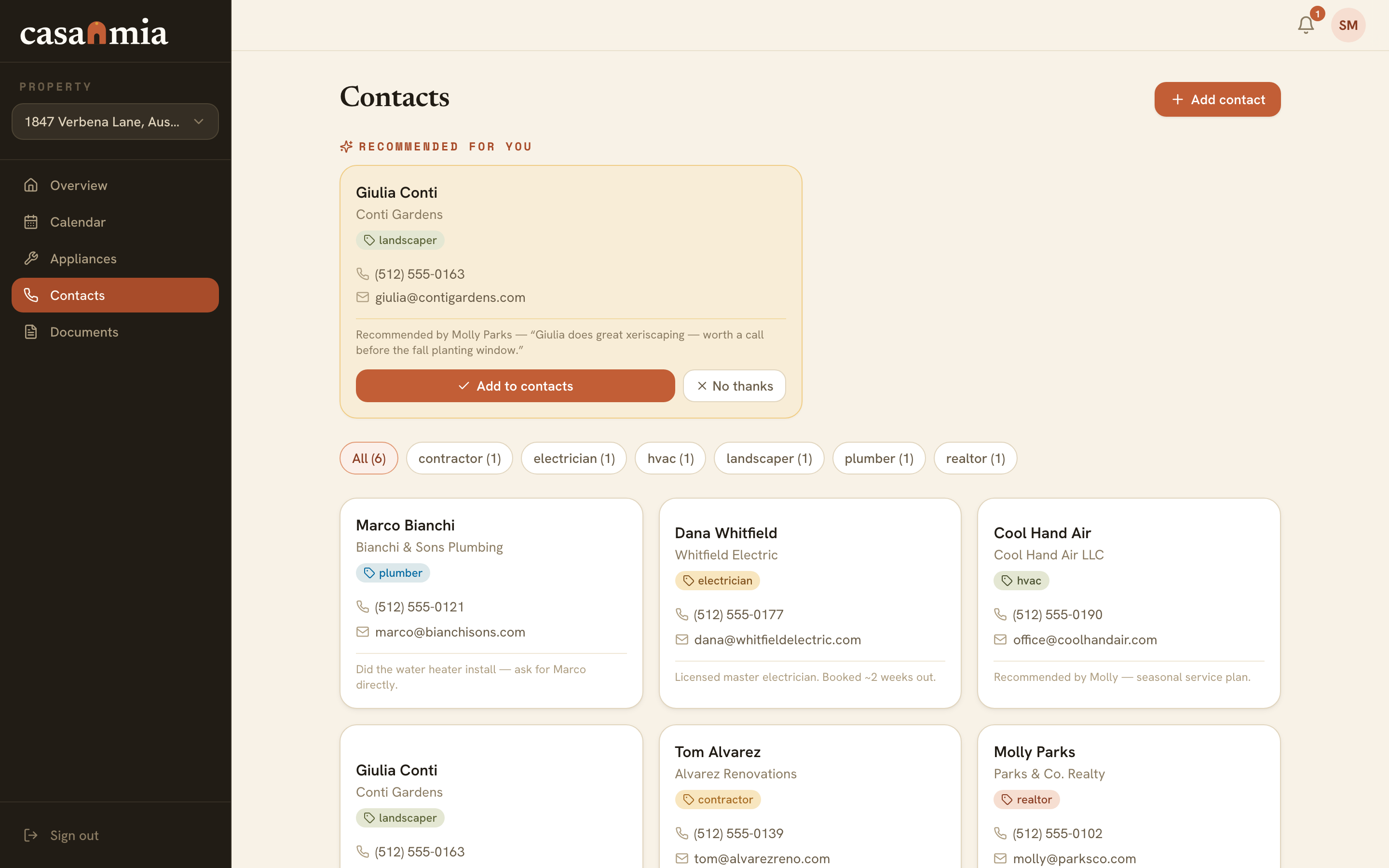
The plumber who actually calls back, the electrician your neighbor swears by, the company that installed the furnace — saved with notes, one tap from a phone call. When something's leaking, you want a name you trust, not a search results page.
Working with a realtor? Their recommendations land straight in your contacts — pros they've vetted across their whole book of business, not whoever advertises hardest.
Step 05
Invite your partner or family as collaborators and the whole household works from one source of truth — same calendar, same documents, same contacts. "Did you ever schedule the—" becomes a glance instead of a negotiation.
Your realtor can stay quietly connected too — sharing a guide or a recommendation when it's genuinely useful, without living in your group texts. Everyone sees what they should, and nothing more.
What it replaces
Every home already has a maintenance system. It's usually a drawer, a fridge and a group text. They were all doing their best.
Before
After
Curious what the calm version looks like day to day? See every feature.
The last step
Setup takes minutes — or your realtor can have it done before you get the keys. Free to start, no card required.